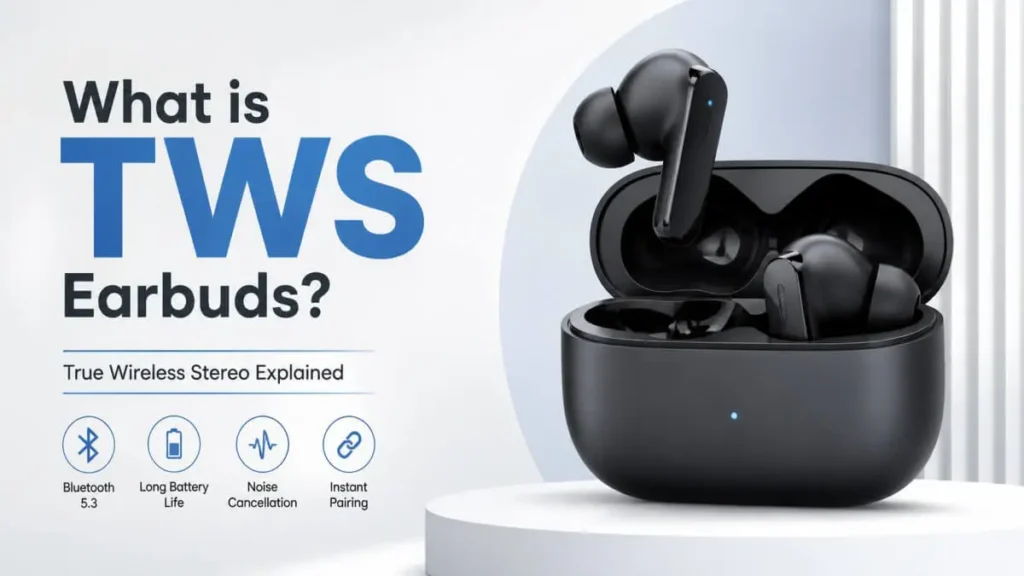
What is TWS earbuds? Understand True Wireless Stereo, how it works, features, pros & cons, and how to choose the best TWS earbuds in this easy guide.
Introduction
Imagine this — you’re walking around your house, your phone is on charge in another room, and you’re still enjoying your favorite music without any wires getting in your way. No tangling, no pulling, just complete freedom.
That’s where people start asking — what is TWS earbuds and why is everyone switching to it?
A few years ago, we all used wired earphones. Then came wireless neckbands. But now, technology has taken a big leap with True Wireless Stereo (TWS) earbuds, offering a completely wire-free experience.
In this guide, you’ll clearly understand what is TWS earbuds, how it works, its benefits, drawbacks, and how to choose the best one for your needs.
Table of Contents
What is TWS Earbuds (True Wireless Stereo) ?
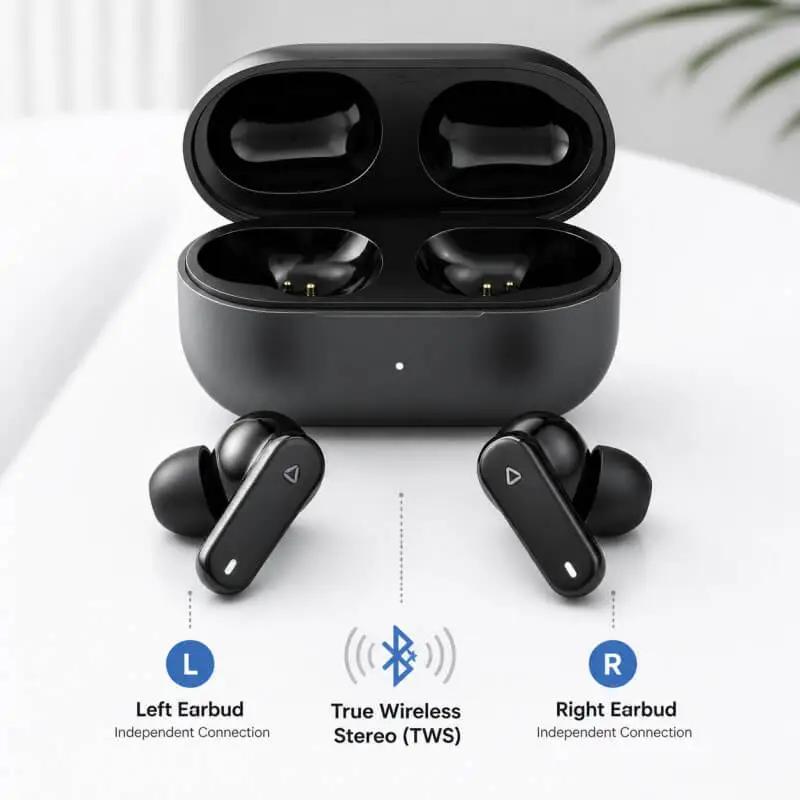
TWS stands for True Wireless Stereo. TWS, also known as “true wireless” or “truly wireless” earbuds, refers to compact, cord-free earphones that connect to devices using Bluetooth® technology, allowing completely wireless audio streaming.
Quick Overview
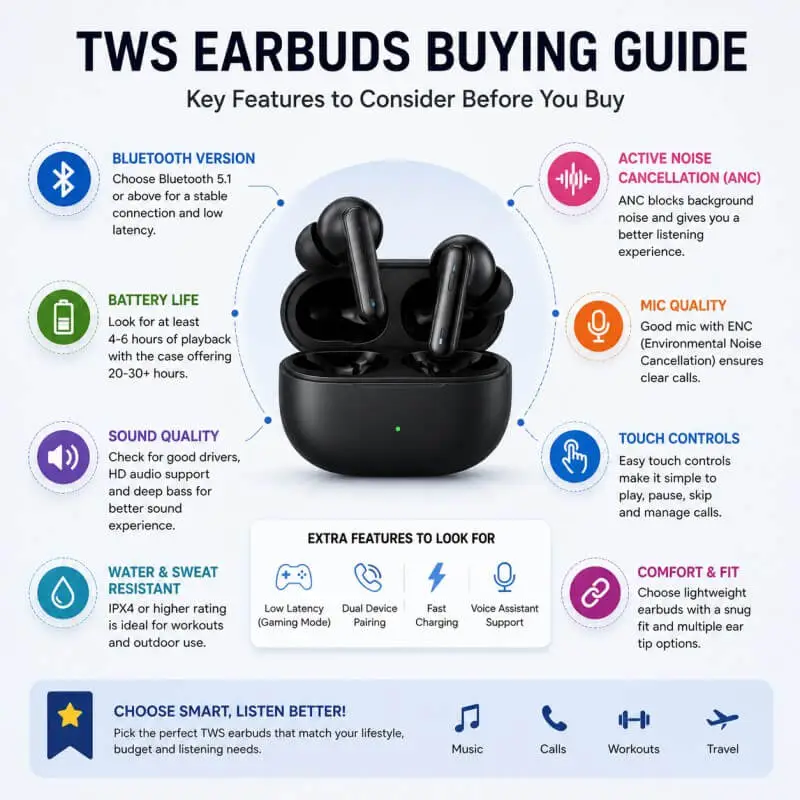
🔹 Connectivity: Choose earbuds with Bluetooth 5.3 or newer. This makes the connection more stable and provides less latency.
🔹 Audio Quality: For better sound, it is advisable to choose earbuds with AAC or LDAC codecs and drivers of at least 10mm or larger.
🔹 Battery Life: Earbuds that provide a total playback time of 20–30 hours including the charging case are considered the best.
🔹 Features: Earbuds with features like Active Noise Cancellation (ANC), IPX4/5 water resistance, and touch controls are more useful.
Key Benefits of True Wireless Stereo Technology
1. Less chance of damage
When using wireless earbuds, there is no need to worry about wires getting broken or tangled. Because there are no wires, the risk of damage is very low. For this reason, the headphone jack is also removed from smartphones and laptops these days.
2. Ease of movement
Wireless earbuds give you a lot of freedom. Now you don’t have to sit near your phone. For example, even if your phone is charging in another room, you can comfortably listen to songs or take calls while working at home or walking outside.
3. Easy sharing experience
Earlier, two people had to come close to listen to songs from the same earphone. But now, thanks to wireless earbuds, everyone can share songs even while staying in their own space. So sharing becomes very easy and comfortable.
What are the disadvantages of TWS?
1. Battery life limitation
Battery life is very important when using wireless earbuds. Good quality earbuds last longer, but still they need to be charged from time to time. Compared to that, wired earphones do not have any such downtime. Therefore, low battery life is considered a major drawback of TWS.
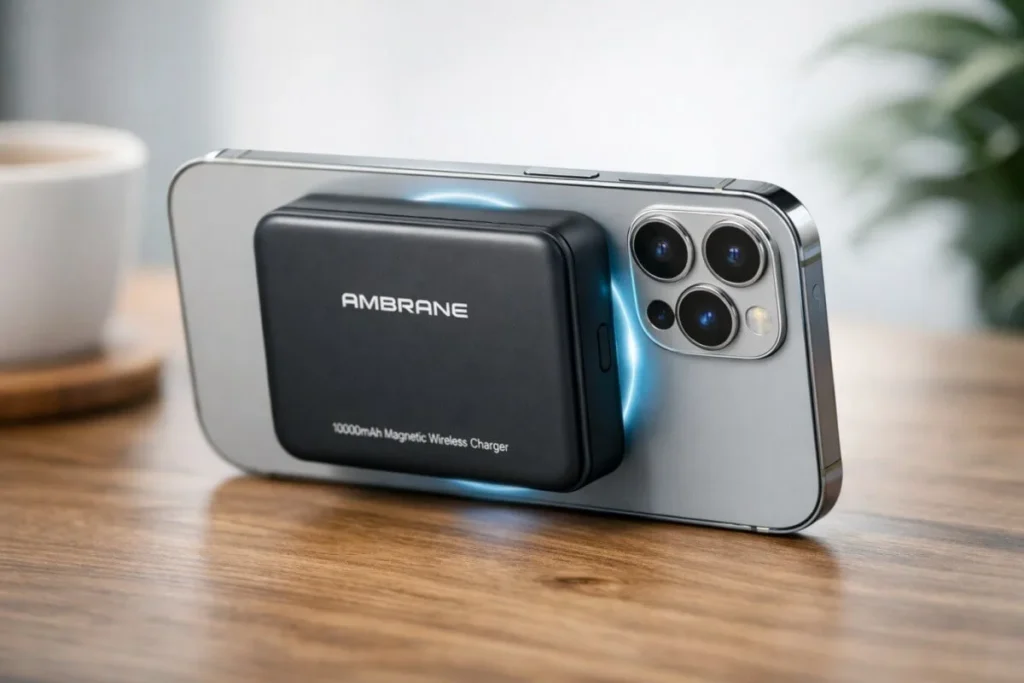
If you want to keep your TWS earbuds and smartphone charged all day long, then be sure to check out the Ambrane MagSafe Power Bank – 10,000mAh Smart & Powerful Charging.
2. Possibility of getting lost
Wireless earbuds are very small in size, so they can be easily lost, especially if you are using them during a workout or outdoors. Since wired earphones have a wire, they are less likely to be lost. However, these days, this problem has been reduced to some extent due to new features like better fitting and open-ear design.
What to keep in mind when buying TWS earbuds?
1. Comfort
The first thing to consider when buying TWS earbuds is comfort. If you are going to use them daily, they should feel comfortable when you put them in your ears. Make sure that they do not cause discomfort when used for a long time.
2. Active Noise Cancellation (ANC)
ANC is a technology that reduces external noise. This feature is very useful to avoid disturbing external noise while making calls or listening to songs. Therefore, earbuds with ANC provide a better experience.
3. Design
The design of earbuds depends entirely on your personal preference. Some earbuds come in an open-ear design, so that you can listen to both external noise and music at the same time. While some earbuds provide an immersive experience by blocking external noise completely. Both types are suitable for your use.
How does TWS technology work?
Its true importance can only be realized once you understand how TWS technology works. TWS stands for True Wireless Stereo, in which one earbud connects directly to your device (such as a smartphone) via Bluetooth, and the other earbud connects wirelessly to the first.
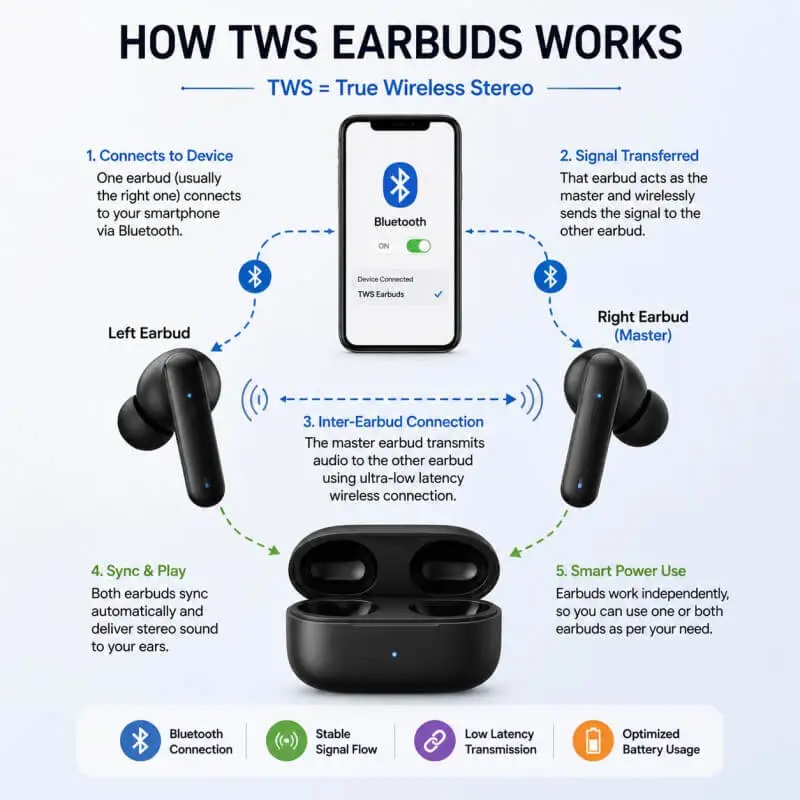
This system delivers sound to both ears at the same time, giving you a perfectly synchronized stereo sound experience. Older wireless earphones used to have a wire between both earbuds, but TWS eliminates that completely.
Today’s modern TWS earbuds run on advanced Bluetooth technology, which ensures a stable connection even in noisy environments and gives you clear, high-quality sound.
How are TWS Earbuds different from other Wireless or Wired Earbuds?
The main difference between TWS earbuds, neckband and wired earphones lies in their connection method. Let’s understand it in a simple way:
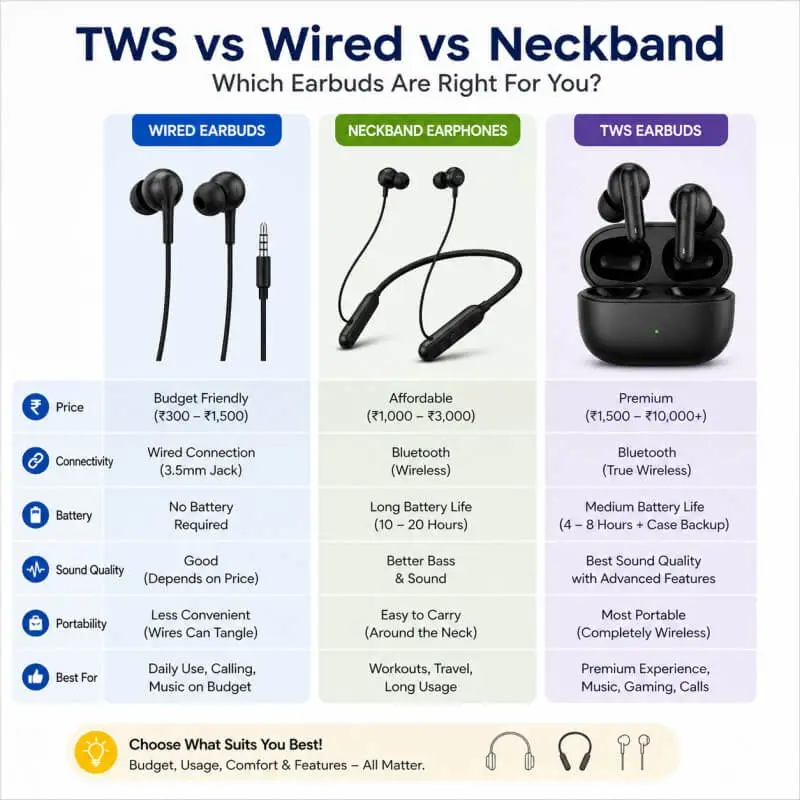
TWS vs Wired vs Wireless Earbuds Comparison
| Feature | Wired Earbuds | Neckband / Wireless Earbuds | TWS Earbuds |
|---|---|---|---|
| Connection | Uses physical cables between the phone and earbuds, and also between left and right earpieces | Connects to phone via Bluetooth, but left and right earbuds are connected by a wire/neckband | Fully wireless connection with no cables at all |
| Freedom of Movement | Lowest – wires can tangle and restrict movement | Moderate – free from phone, but neckband or wire is still present | Maximum – complete freedom with independent earbuds |
| Convenience | No charging needed, but managing wires can be inconvenient | Requires charging, but offers longer battery life and is less likely to get lost | Requires charging and a case, compact but can be easier to misplace |
| Best Use Cases | Calls, office work, gaming (low latency) | Daily use, commuting, fitness | Sports, travel, and modern wireless lifestyle |
Understand in simple terms
It started with wired earphones, then came wireless (neckband) and now TWS earbuds. One thing has changed along the way — the wires have gradually become less and less and finally disappeared completely.
👉 TWS earbuds are the ultimate wireless experience —
No wires, full freedom and perfect for a modern lifestyle.
How to Pair TWS Earbuds? (Step-by-Step Guide)
A) Universal Pairing Steps for TWS Earbuds
Step 1: Prepare
First, make sure your earbuds and charging case are fully charged. Take the earbuds out of the charging case—most of the time they will turn on automatically (some models require manual start). This is the basic preparation for all the next steps.
Step 2: Put them in Pairing Mode
Press and hold the touch control area on the earbuds (or the button given in the manual) for a few seconds. The indicator light will start blinking in red-blue or blue-white. This means the earbuds have entered pairing mode and are sending a signal.
Step 3: Connect to the device
Open the Bluetooth settings on your mobile or computer. Scan for nearby devices and find the name of your earbuds (e.g. “HUAWEI TWS”) in the list and tap on it. The connection will be complete in a few seconds.
Step 4: Verify and Test
Once connected, you will hear a “Connected” prompt. Now play a song or make a short call to check if both earbuds are connected properly and the sound is in sync.
B) Additional Operations
1. How to Re-pair?
If you want to connect to a new device, select the name of the earbuds from the Bluetooth list of that device. If the connection does not work, select “Ignore” or “Forget” and connect again by putting them in pairing mode (repeat Step 2).
2. When and how to do a Factory Reset?
If you are experiencing connection problems, audio delays, or pairing issues, a factory reset is useful.
How to do it:
Put the earbuds back in the charging case and press and hold the button on the case for 15–30 seconds. The indicator light will blink in a different pattern. This will delete all old Bluetooth connections. After that, the earbuds will need to be paired again as new.
Important Tips
1. Understand the Indicator Light
- Fast blinking = Pairing mode
- Steady light / slow blink = Connected
2. Refresh Device List
If the earbuds do not appear in the list, turn Bluetooth off and on again and scan again.
3. Single Earbud Mode
Some models allow you to use only one earbud. After pairing, you can remove one earbud and use it separately.
Conclusion
True Wireless Stereo (TWS) earbuds are a big step forward in personal audio technology. Understanding what TWS earbuds are and how they work makes their benefits more apparent.
Their completely wireless design, ease of use, and excellent sound quality make TWS earbuds a great option for today’s modern lifestyle. The advanced models available in the market today show how far this technology has come. So, if you want convenience, freedom, and a high-quality audio experience, TWS earbuds are a great choice.
FAQs
1. TWS or earbuds?
TWS earbuds are a type of earbuds. But TWS are completely wireless. If you want a wire-free experience and convenience, TWS are better. But if you want to avoid charging, wired earbuds are the way to go.
2. What does TWS mean in earbuds?
TWS stands for True Wireless Stereo. This means that the earbuds have no wires and connect to the device via Bluetooth.
3. What are the disadvantages of TWS?
Some drawbacks of TWS earbuds are:
Require frequent charging
More likely to get lost due to being small
Can be more expensive than wired earphones
Sometimes latency (slight delay) can be felt
4.Are TWS worth buying?
Yes, TWS earbuds are worth it for most people. Because they are wireless, portable, and easy to use. But if you don’t want charging or want zero delay, you can consider wired earphones.
5. What is TWS in TWS earbuds?
TWS stands for True Wireless Stereo. That is, earbuds that work completely without wires, which provide good sound quality.

Hi, I’m Abhijeet Bendale — founder of OfferDukan.com.
I am sharing informative lifestyle guides, smart buying tips, and honest product research across Beauty, Tech, Health, Travel, and more. My aim is to help readers find genuine offers, smart shopping tips, and useful product insights that make daily life easier and more affordable.
Thank you for supporting OfferDukan.com!