Want food on your seat during your train journey? Learn How to Order Food in Train from Zomato: 7 Easy Steps and order easily from PNR.
Have you ever felt hungry during a train journey and wondered whether to trust the pantry car? Or are you afraid to get down at the station because the train stops for just 2-3 minutes?
At such times, there is an easy option — ordering food directly to your seat from Zomato.
Yes, now while traveling in Indian Railways, you can order fresh food from your favorite hotel with the help of your PNR number.
So, let’s understand in very simple terms — How to Order Food in Train from Zomato: 7 Easy Steps
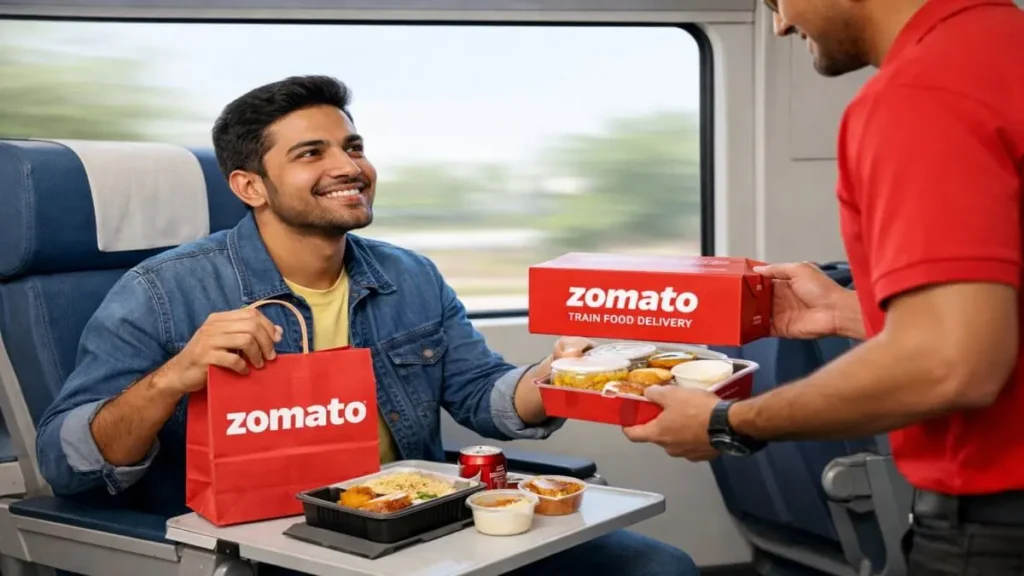
Table of Contents
How does Zomato deliver food on trains?
First of all, an important question — what if the train is late?
Zomato uses your PNR number to track the train live.
This means that your food is prepared according to the actual arrival time of the train.
The process is basically like this:
- Your PNR is tracked
- The food is prepared just before the train reaches the station
- It is kept safe in the station hub
- The delivery partner is ready on the platform
- The food is delivered directly to your seat as soon as the train stops
This means that even if there is a delay, the food remains fresh.
Why is Zomato trusted?
The service is available with 130+ stations and 40,000+ restaurant partners in India.
You can also order from the following trusted brands:
- Domino’s
- McDonald’s
- KFC
- Haldiram’s
- FSSAI approved outlets
- Veg / Non-veg separate cooking space
- Secure travel-friendly packaging
- Bulk & group order support
So you don’t have to worry about hygiene and safety.
How to Order Food in Train from Zomato: 7 Easy Steps
Now the real question — how to make the actual order?
Don’t worry, the process is not complicated at all. All you need is your 10-digit PNR number and the Zomato app on your mobile. The entire process is designed in such a way that even during a train journey, you can book a meal at your seat within a few minutes.
Live train tracking, station selection, restaurant options and secure payment — all this happens in a single flow. So, even if you are doing it for the first time, there is no need to panic.
So, let’s understand each step calmly.
Step 1: Open the Zomato App
First and easiest thing — open the Zomato app on your mobile.
If the app is not already installed, then download it from the Play Store or App Store and login with your mobile number.
After logging in, a search bar will appear on the home screen. This is where the next process starts.
A small tip:
It is important to have a stable internet connection, because later you have to enter the PNR number and fetch the train information.
Now in the next step, we will see how to find the food order option for the train.
Step 2: Search for “Train / IRCTC”
After opening the app, enter the keyword “Train” or “IRCTC” in the search bar at the top.
As soon as you type, an option like “Meals at Train Seat” or train food delivery will appear. Select it.
This step is important because from here Zomato recognizes your train journey and activates the railway delivery system instead of the usual home delivery.
Tip:
Do not misspell. Use the correct words like “Train”, “IRCTC”, so that the correct option will appear immediately.
Now let’s see how to get your train information by entering the PNR number.
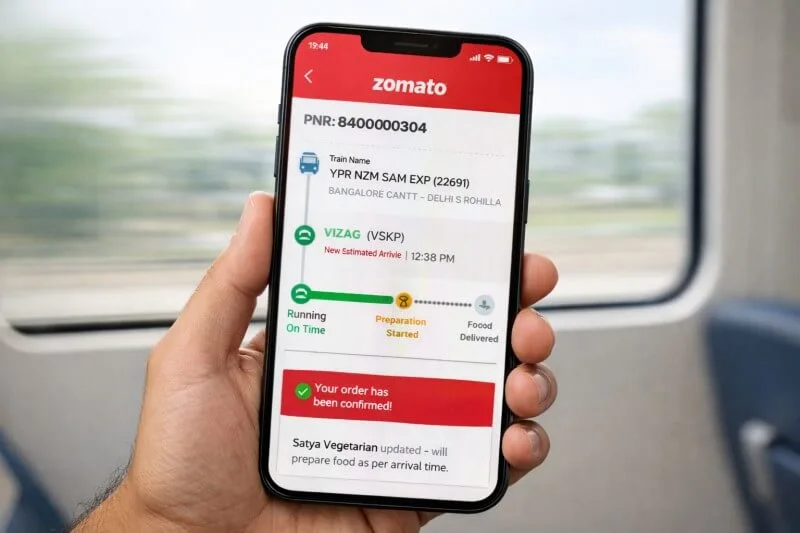
Step 3: Enter your 10-digit PNR number
Now the most important part — enter your 10-digit PNR number.
As soon as you enter the PNR number, the system fetches the complete information of your train — train name, travel date, coach and seat details. So there is no risk of getting wrong information.
From this PNR, Zomato tracks the live running status of your train. This means that even if the train is late, your food is prepared on time.
Small but important tip:
Enter the PNR number correctly. If even one digit is wrong, the train details will not be displayed.
After verifying the PNR, you can choose the delivery station. PNR number is part of Indian Railways booking system (visit IRCTC official website for more information).
Step 4: Select Delivery Station
After PNR verification, a list of available stations on your route will appear.
Now you need to select the station where you want to have your meal.
For example, if your train is scheduled to reach a major junction at 2 pm, you can select delivery at that station. The system will automatically show you the restaurants available at that station.
Here’s a smart tip:
Choose the station keeping in mind the halt duration of the train and the time of your meal. It is better to choose a station in the afternoon for lunch and a station in the morning for breakfast.
After selecting the right station, you will now see the restaurant options — we will see that in the next step.
Step 5: Select a Restaurant
After selecting a delivery station, you will see a list of restaurants available at that station.
Now select a restaurant according to your preference — whether you want branded food, regional thali or quick snacks, all options are available in one place.
You can make the right decision by looking at the ratings, reviews, price range and delivery timing. This is very important because on-time delivery and good food quality are equally important in train travel.
Pro Tip:
Choosing outlets with a rating of 4⭐ or above gives you more confidence in quality and hygiene.
Now after selecting a restaurant, let’s add your favorite items from the menu to the cart.
Step 6: Add Food Items to Cart
Now the fun part — browse the menu and choose your favorite dishes.
After opening the restaurant, you will see various categories like veg, non-veg, thali, biryani, snacks, beverages. Select items according to your hunger and travel time and click on “Add to Cart”.
You can change the quantity, give special instructions (e.g. less spicy, no onion) and see the total amount immediately. If you are traveling in a group, it is also easy to add different items for each person.
Smart Tip:
If you want to have a heavy meal, keep in mind the train arrival time. Even if there is a short halt, the delivery is on the seat, but if you keep the order timing right, the experience is even smoother.
After adding items to the cart, now the last and most important step — make payment and confirm the order.
Step 7: Confirm Order by Payment
Now the last and crucial step — Make Payment and Confirm Order.
After checking all the items in the Cart, go to checkout. Here you will see various payment options — UPI, Debit/Credit Card, Wallet, Net Banking or Pay on Delivery. Choose the option as per your convenience and complete the payment.
Once the payment is successful, your order is officially placed. Within a few seconds, you will get an Order ID and a Live Tracking Page.
Now the real fun begins
✔ You can see if the order preparation has started
✔ You get status updates according to the train arrival time
✔ You get information that the delivery partner has reached the station
✔ You get confirmation that the food has been delivered to your seat
That is, every step from preparation to the food arriving at your seat is visible on your screen.
That’s it!
It’s that easy — How to Order Food in Train from Zomato
Now the next time you get hungry during a train journey, you can complete the order in just 5-7 minutes.
What are the Payment Options?
Do you know what the biggest concern is while travelling by train?
“Is there cash?” or “Is online payment safe?”
The good news is that Zomato train food delivery offers you completely flexible and secure payment options. So, you can choose the option as per your convenience.
Available Payment Methods:
- UPI (Google Pay, PhonePe, BHIM etc.)
- Debit / Credit Card
- Wallet
- Net Banking
- Pay on Delivery (Cash or digital payment at the seat)
If you want to prepay online, the transaction is completed in a few seconds. And if you want to pay only after delivery, then the Pay on Delivery option is available (depending on the station and restaurant).
Practical Tip:
Prepaid payment makes the delivery process smoother and contactless. This is especially convenient during night journeys or at busy stations.
That is — no need to carry cash, and no worries about the transaction either. A safe, easy and fast payment process makes your train journey even more comfortable.
What if the train is late?
This is indeed the most common and practical question.
“Will my food spoil if the train is late?” — This thought comes to the mind of almost every passenger.
But this is where Zomato’s smart system comes into play.
Zomato tracks the real-time running status of the train based on your PNR number.
That is, food preparation is done not according to the timetable, but according to the actual arrival time of the train.
The benefits you get as a result:
- No scheduled time — preparation according to the actual arrival time
- Free cancellation before food preparation starts
- Facility to update from the app if you change seat or coach
- Fresh delivery even if there is a delay
This keeps you constantly getting updates from the tracking page. Even if the train is 30-40 minutes late, your food is prepared on time and reaches your seat.
That is — whether the train is late or on time, you are in complete control.
What kind of food is served on the train?
You don’t just get simple food — you get a variety of options.
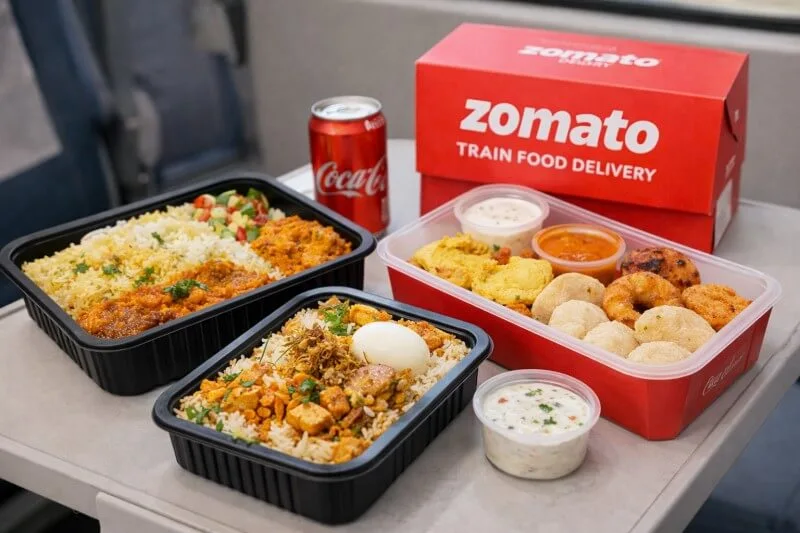
1. Breakfast
- Idli
- Dosa
- Poha
- Sandwich
- Tea
- Coffee
2. Veg Meals
- Gujarati
- Rajasthani Thali
- Dal Rice
- Paneer Combo
- Chinese
3. Special Diet
- Jain Food
- Diabetic Meal
- No Onion No Garlic
- Vrat Thali
There is something for every passenger.
Popular stations where delivery is available
Zomato’s train food delivery service is available at many major junctions in India. Big cities and busy railway stations have a wide range of restaurant options, giving you the opportunity to choose from a variety of cuisines.
For example, the service is available at the following major stations:
- Nagpur Junction
- Bhopal Junction
- Surat Junction
- Vijayawada Junction
These are just a few examples. In fact, the service is available at 130+ stations and thousands of passengers avail this facility every day.
Tip:
After entering the PNR, the system automatically shows which stations are available on your train route. So, you can check in advance and choose the right station.
So, no matter where you are travelling — North, South, West or Central India — ordering food at your seat in a train has now become very easy.
Can you order for a group or for others?
Yes, you can — and many people don’t even know about this feature.
If you have a valid PNR number and contact details of that person, you can send food directly to their train seat. So, whether your parents are traveling, friends are on a trip, or your kids are on a college tour — you can order for them from home.
Useful for whom?
- Family travel
- Student group
- Office team trip
- Tour group or pilgrimage
Zomato handles large and bulk orders professionally. Multiple seats, different items, quantity management — everything is coordinated properly.
With live tracking, you can get updates even on group orders. Payment prepaid or at the time of delivery — both options are available.
That is, you can make train travel more convenient and comfortable not only for yourself but also for your people.
If you are traveling alone, be sure to read our article Solo Travel Tips: 25 Proven Safety & Smart Travel Hacks. It will be very useful for safe and smart travel.
Conclusion
Train travel means taking a coach first, relying on a pantry car or rushing to get something at the station — these old habits have changed.
How to Order Food in Train from Zomato: 7 Easy Steps The process is so simple that any passenger can order fresh and safe food at their seat in a few minutes. Just enter the PNR number, select the station, choose your favorite restaurant and make the payment — the coordination system does the rest automatically.
Live train tracking, FSSAI-approved outlets, hygienic packaging, flexible payment options and free cancellation — all these things make this option more reliable and safe.
Whether you are a solo traveler, traveling with family or on a group tour — ordering food in the train has now become very easy, fast and tension-free.
So, the next time you feel hungry while traveling by train, there is no need to get down on the platform.
Open your mobile, order on Zomato and enjoy your meal comfortably at your seat.
May your journey be delicious and comfortable!
Official information regarding train schedules and railway services is available on the Indian Railways website.
FAQs – Common Questions in Your Mind
Some questions naturally arise while ordering food from Zomato in the train. Let us clear them in very simple language.
1. Can you order without PNR?
No. A valid 10-digit PNR number is required.
Because your train, coach, seat and running status are tracked from the same PNR. Without PNR, the system cannot verify your journey.
2. When is cancellation free?
If you cancel your order before food preparation starts, you get 100% free cancellation.
After preparation starts, the cancellation policy may be applicable as per the restaurant.
3. What to do if you change your seat?
If you change your coach or seat in the train, you can go to the tracking page in the app and update the seat details.
This means that delivery happens at the right place.
4. How to order in Zomato train?
Open the Zomato app → search “Train / IRCTC” → enter the PNR number → select the station → select the restaurant → make payment.
You can order food in the train in such simple steps.
5. How to order food inside a train?
You can order while inside the train. All you need is an internet connection and a valid PNR number. You can place your order by selecting delivery at the upcoming station on the train route.
6. Can Zomato deliver food in a running train?
Yes. Zomato does not deliver directly to your seat on the running train, but when the train reaches the selected station.
The system coordinates delivery according to the actual arrival time using live train tracking.
7. Can I order food in train without PNR?
No. Train food delivery is not possible without a PNR. Because the system needs to verify your journey.
If you still have any doubts, you can get direct support from the help section in the app after entering the PNR.
No more confusion when you get hungry during a train journey — Order from Zomato in a few minutes and enjoy it right at your seat.

Hi, I’m Abhijeet Bendale — founder of OfferDukan.com.
I am sharing informative lifestyle guides, smart buying tips, and honest product research across Beauty, Tech, Health, Travel, and more. My aim is to help readers find genuine offers, smart shopping tips, and useful product insights that make daily life easier and more affordable.
Thank you for supporting OfferDukan.com!